Your attendance data stays on your machine, not ours.
ProximaHub connects to the ZKTeco devices you already own and runs entirely on a PC on your own network. Punches, reports and backups all stay local. You need the internet exactly once — to activate your license — then it's fully offline.
No card required · Cancel anytime.
Engineered for ZKTeco-based attendance, timesheets, and payroll.
| User | PIN | Time | Method | Device | Status |
|---|
Your devices work. Your software shouldn't hold them hostage.
Most ZKTeco installations run on ZKBio Time: cloud-dependent, priced per device, and missing basic things like salary reports or leave tracking. ProximaHub was built to fix exactly that, without asking you to replace hardware you already trust.
Same devices, simpler software, a fraction of the cost.Three steps, most of it done in one afternoon
There's no server to provision and no account to create for your employees. It's a piece of software you install once on a PC that stays switched on.
Point it at your device
The Hub finds your ZKTeco terminal automatically on your network, the same box that's already reading fingerprints at your door. Add it manually if you'd rather.
It runs quietly on one PC
A background service on any Windows or Linux machine keeps every device in sync, calculates late-ins, overtime and leave, and serves a dashboard to any browser on your network.
Activate once, you're set
One-time activation, then fully offline. A quick license check is the only moment the Hub reaches out to the internet. After that, punches, reports and backups stay exactly where you can see them.
Everything an HR person actually opens in a day
Not a stripped-down device viewer, a full attendance workflow, covering the reports, rules and leave tracking that ZKBio Time leaves out.
Every terminal, one screen
Auto-discover devices on your network, back them up on a schedule, and run commands: restart, clock sync, unlock, without walking over to the door.
- Auto-discovery and one-click add
- One-click backup and restore
- Restart, power off, clock sync and unlock from the dashboard
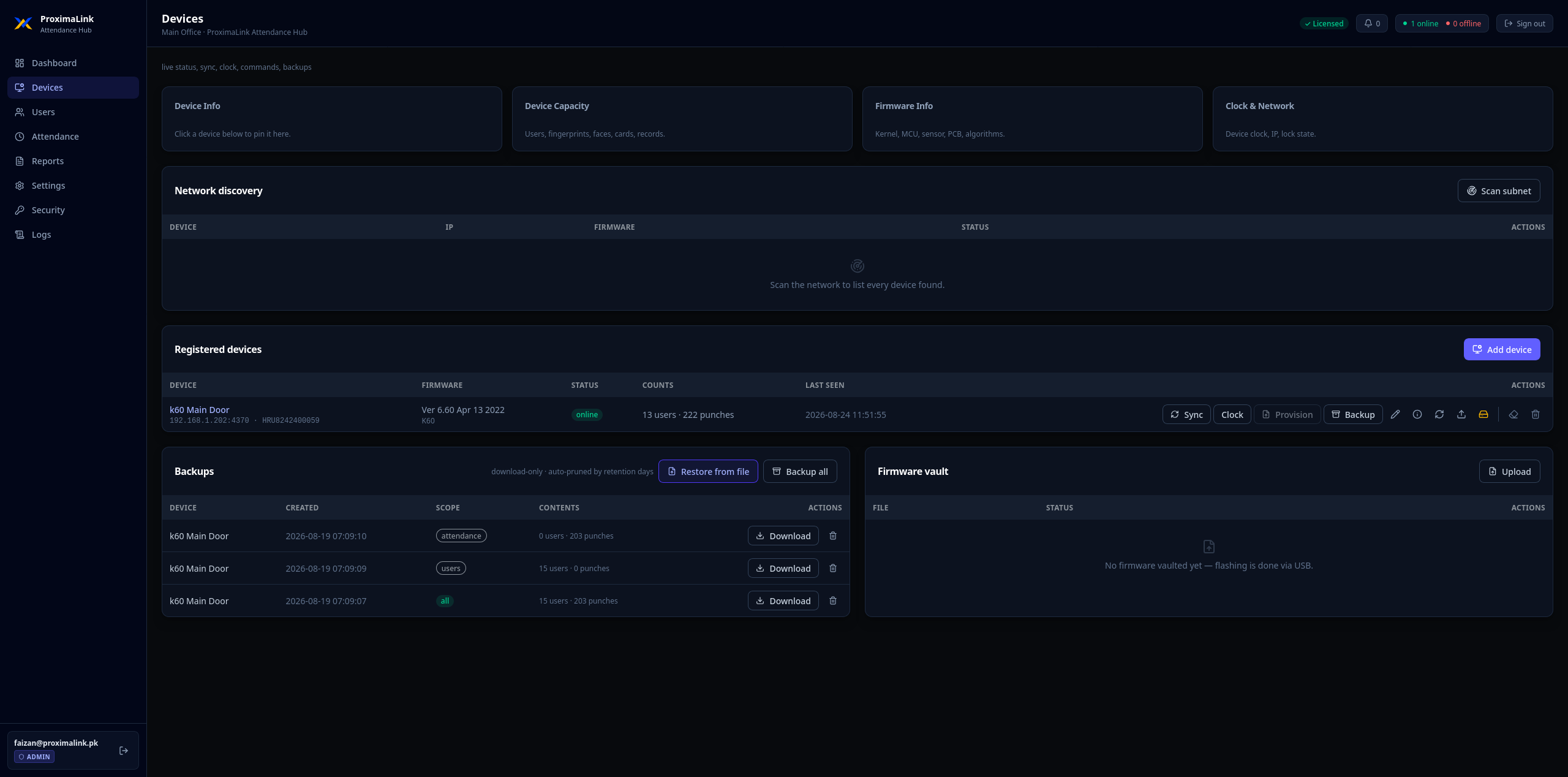
Every screenshot on this page is the real product — no mockups. Click to enlarge.
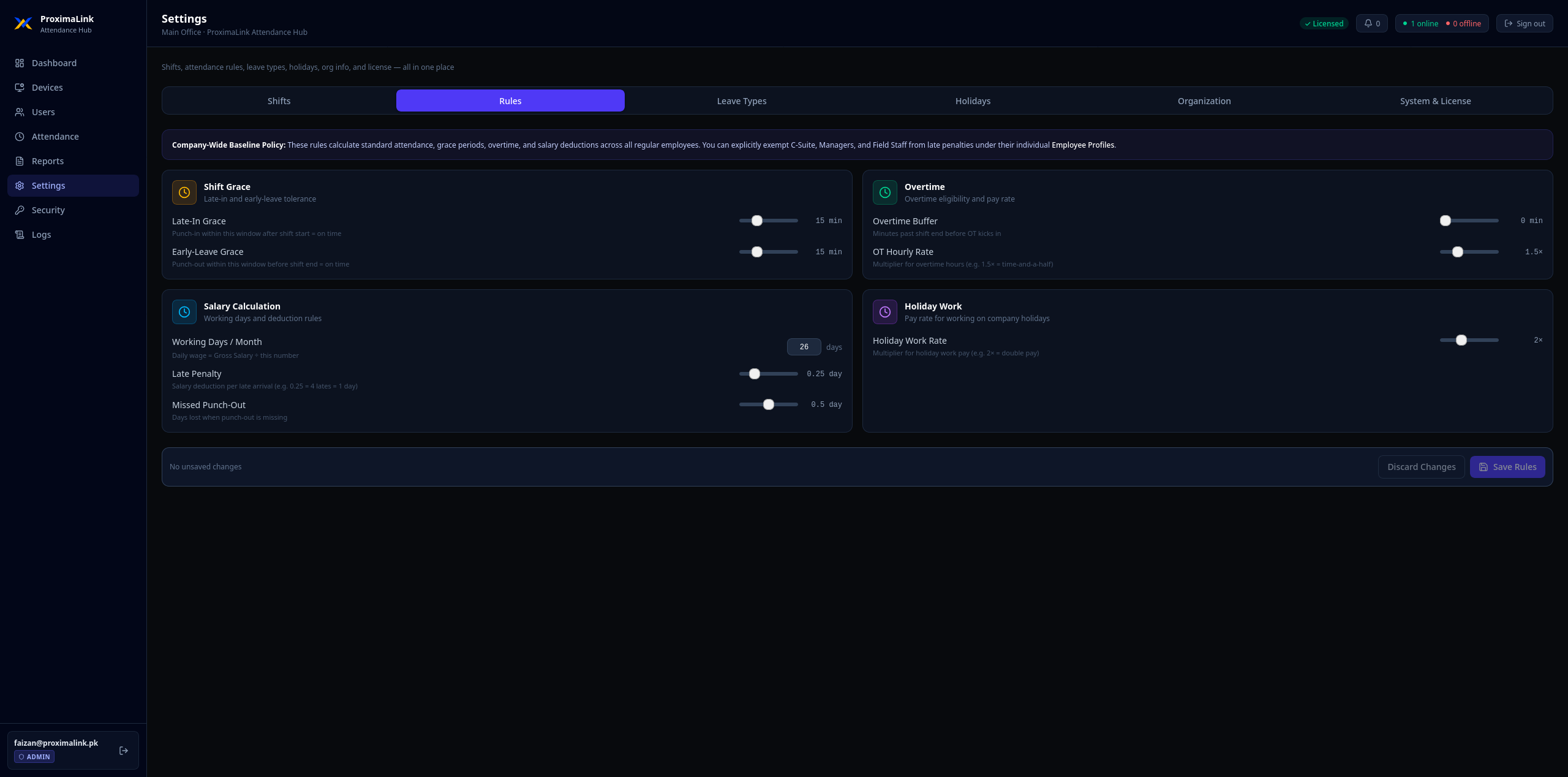
Set the policy once, it applies itself
Grace periods, late penalties, overtime thresholds, and holiday-work pay rates, configured the way local payroll actually calculates a salary, not a generic default.
- Per-minute late-in and early-leave grace windows
- Overtime thresholds and holiday pay multipliers
- Multiple shift schedules with break configuration
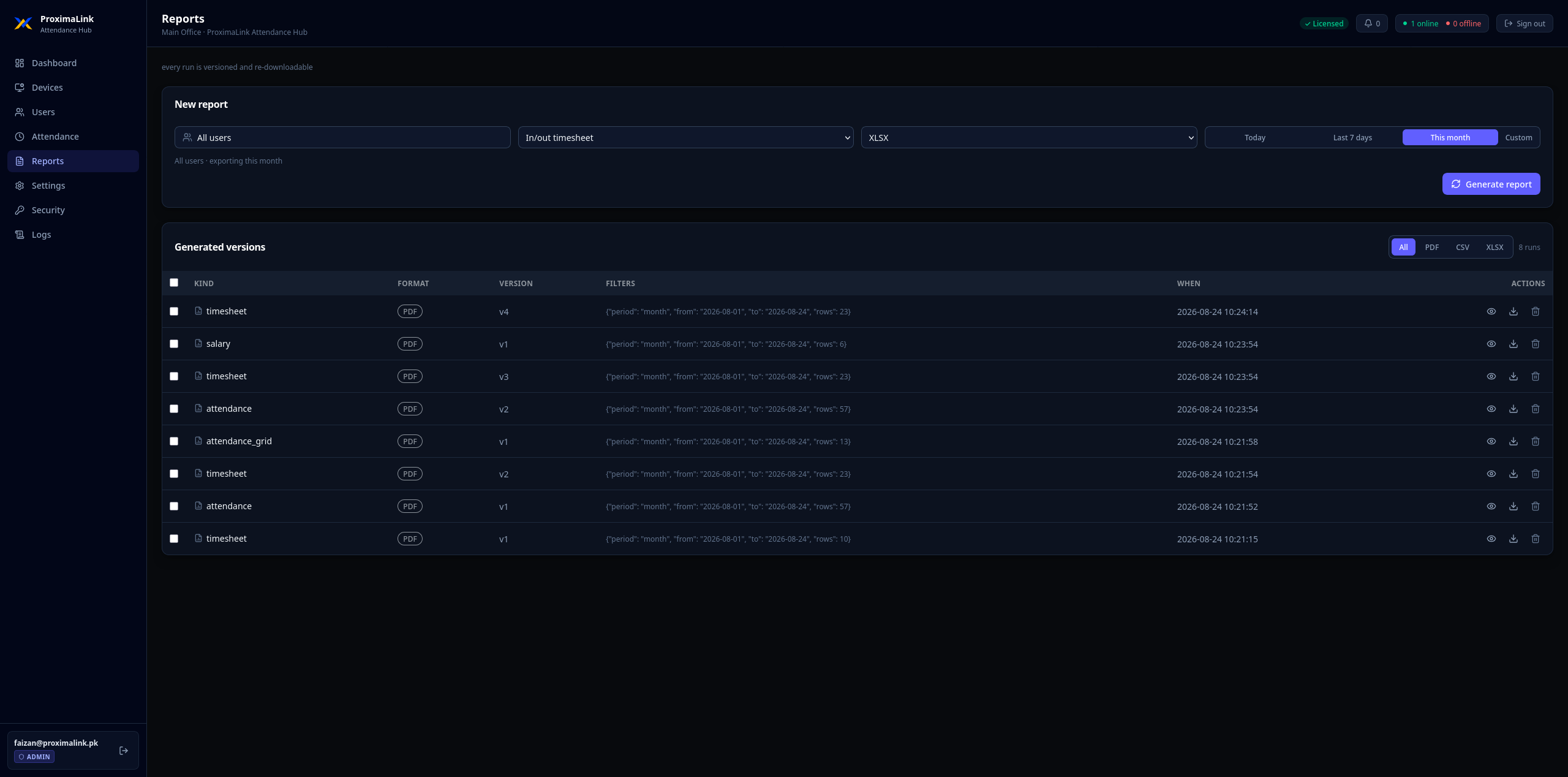
Bank-ready numbers, not raw punch data
Generate salary estimate reports with deductions, overtime and holiday pay already factored in, export to PDF, Excel or CSV, with every run saved and re-downloadable.
- Bank-ready salary estimate reports
- PDF, CSV and XLSX export formats
- Full version history of every report generated
These are salary estimates based on attendance and your configured rules, not a full payroll system with tax or statutory calculations.
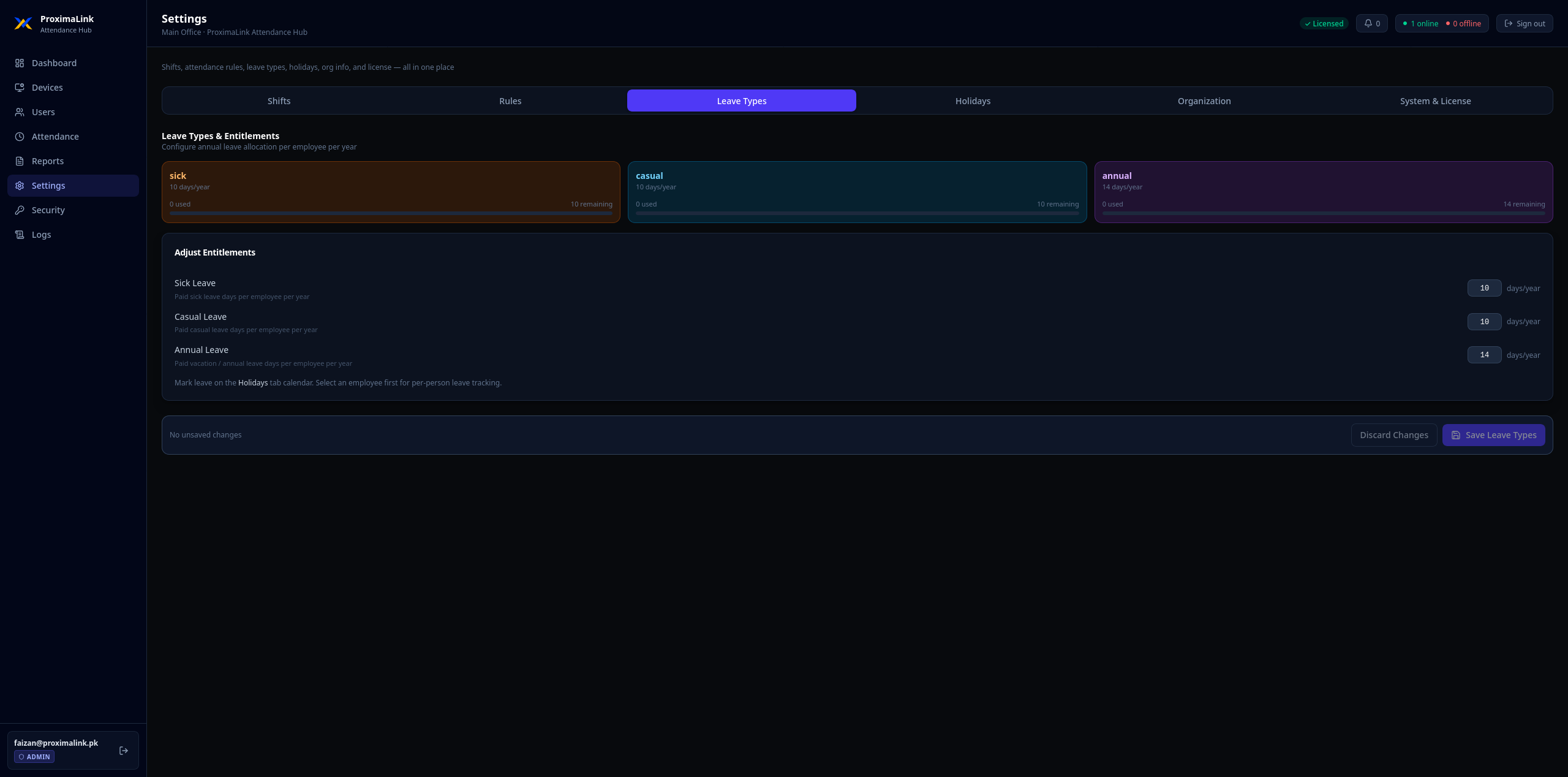
Every leave type, tracked in one place
Sick, casual, annual, unpaid and half-day leave, set entitlements once and see balances update as staff take time off, right alongside attendance.
- Multiple leave types with configurable entitlements
- Balances tracked per employee, per year
- No separate spreadsheet to maintain
Built for more than one set of hands
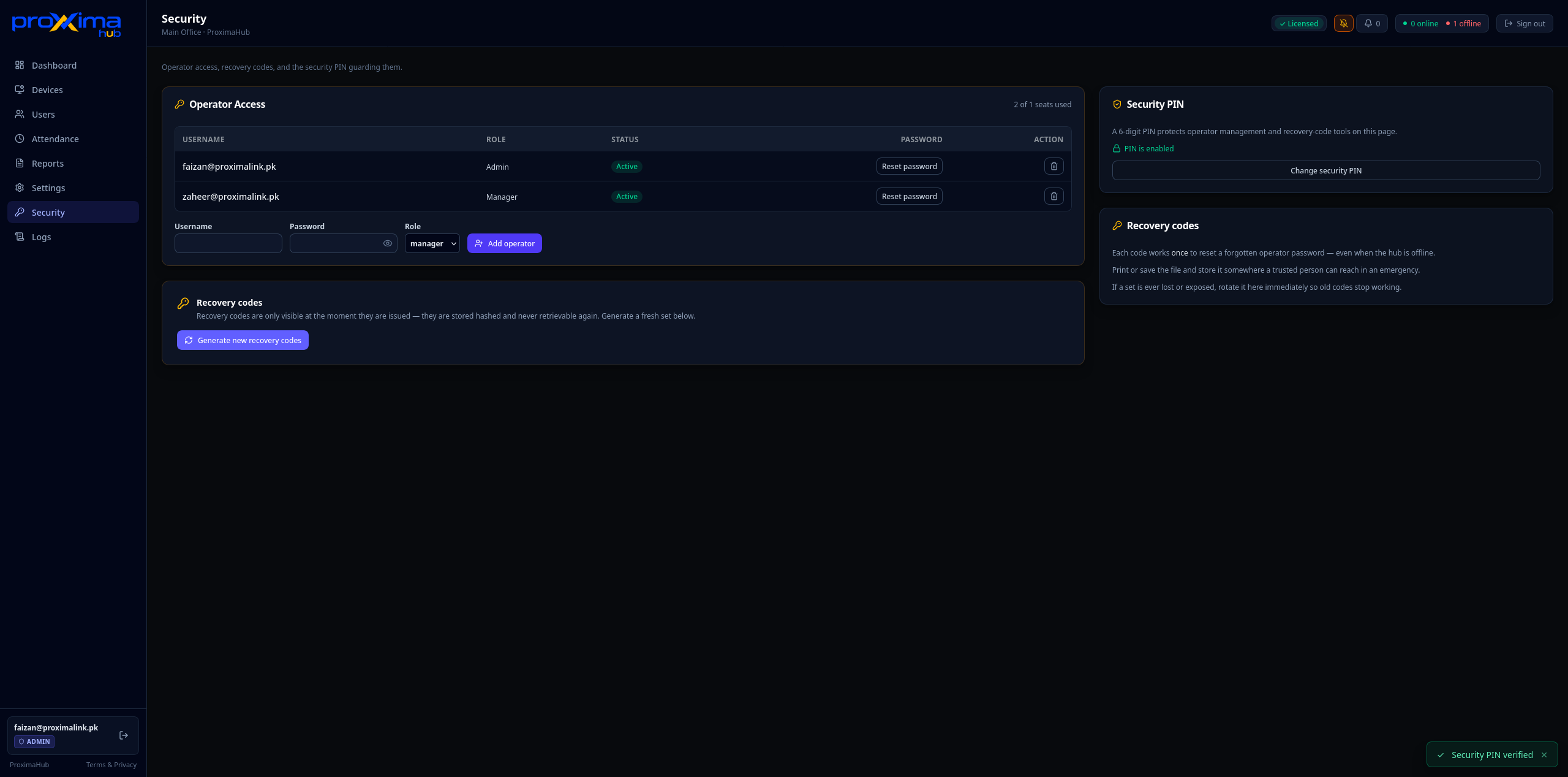
Give an admin full control and a manager limited access, protect sensitive actions behind a rotating PIN, and keep offline recovery codes for the day someone forgets a password.
- Role-based operator accounts
- Security PIN for sensitive operations
- Offline recovery codes
- Audit trail of every configuration change
Built around three people, not one generic buyer
Attendance software usually gets bought by one person and used by three. We designed for all of them.
Manual payroll eats a full day every month
Today: manual payroll from device exports, no bank-ready reports, leave tracked in a separate sheet.
With the Hub: salary estimates with bank details, a leave calendar, and attendance-based deductions, all exportable to PDF or Excel.
Local control, zero cloud dependency
Today: cloud dependency, no local control, fiddly device management across sites.
With the Hub: an offline-first local server, one-click device discovery, and a direct connection to every terminal, no cloud required.
Pay for headcount, not hardware
Flat per-user pricing means your software bill tracks your actual workforce, not how many door terminals you bolted to the wall. No per-device fees, no contract lock-in — cancel anytime. If the product disappoints, you're not trapped.
Built with two specific markets in mind
Not localized after the fact, the segments, pricing and support model were built around how attendance actually gets managed in each country.
Pakistan
- Already on ZKTeco hardware K60, U160, F22, iClock and similar terminals, most currently running ZKBio Time
- Manufacturing, logistics, retail and offices 50-500 employee companies feeling per-device costs add up
- Payroll-shaped features salary estimates and leave tracking built for how local HR teams actually work
United Arab Emirates & GCC
- Same profile, different region ZKTeco-equipped companies looking for local control over cloud dependency
- Data that stays on-premise attendance and salary estimates never leave your own network
- Arabic interface on our roadmap, not yet shipped
One price per person, no hardware surcharges
Pay only for the employees you enroll. Adding a terminal never costs extra, and the more people you onboard, the lower the effective cost per head.
- Up to 50 users, up to 3 devices
- Attendance, timesheets, salary estimates
- Leave tracking & shift schedules
- Email + WhatsApp support (next business day)
- Unlimited users, unlimited devices
- Everything in Starter, plus:
- Multi-site dashboard from one hub
- Priority support, 4h response, WhatsApp + remote desktop
- Advanced reports: attendance grid, bank-ready salary ledger
- Everything in Professional, plus:
- Custom SLA, 99.9% uptime commitment
- Priority remote support, 1h response
- On-site setup and training (billed separately)
- Quarterly business reviews
| Plan | Monthly (min) | Annual (min) | Annual savings |
|---|---|---|---|
| Starter | Rs 3,000/mo | Rs 30,000/yr | Rs 6,000 (2 months free) |
| Professional | Rs 5,000/mo | Rs 50,000/yr | Rs 10,000 (2 months free) |
| Enterprise | Rs 10,000/mo | Rs 1,00,000/yr | Rs 20,000 (2 months free) |
Common questions
Download ProximaHub
No card required. Full features for 14 days. The hub runs entirely on your machine.
Already selling ZKTeco hardware?
Bundle ProximaHub with every device you install instead of handing over ZKBio Time and walking away. We offer 20% commission on first-year revenue from customers you bring in, paid from revenue, no upfront cost to you.